Sign in to JUJU-PERFECT AI craft design software
Sign in to use your credits, or create a free account to get 5 credits to start.
Image converter
Image converter for laser engraving
If you need a photo to laser file converter or the best laser svg generator for a custom job, start with file prep, not a pretty preview. JUJU-PERFECT converts a photo or text idea into an engraving-ready file tuned to your laser technology and material, with clean laser SVG output and a matching UV-print PNG when the job needs colour.
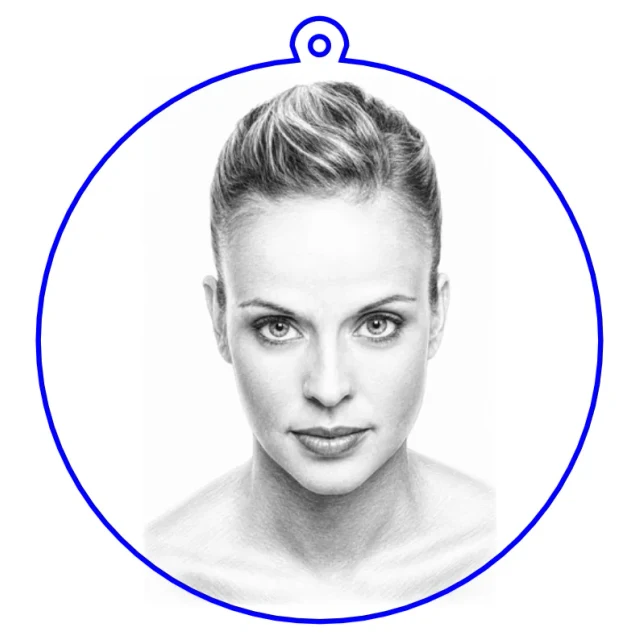
Popular community makes
Real engraving-ready files made by the community — pick one and make your own version.
How the converter works
- Upload or describe. Start from a photo (JPG, PNG, WEBP) or a few words of text.
- Pick material and style. Pencil sketch, realistic depth, outline, and more — each tuned for wood, acrylic, slate, or metal.
- Download and engrave. Files import straight into your laser software with contrast and detail already optimized.
Photo or words — two ways in
Most people start from a photo: a portrait, a pet, a logo, a building. Drop in a JPG, PNG, or WEBP and the converter isolates the subject, remaps contrast for engraving depth, and removes the background so the laser burns what matters instead of a grey box around it. No source photo? Describe the design in plain language — "a fox in a geometric low-poly style," "a vintage motorcycle line drawing" — and it generates the artwork and prepares it for the laser in the same pass. Briefs written in another language are translated automatically before generation, so the result reads correctly.
Styles tuned for the laser, not generic filters
Each style is calibrated for how a laser actually marks a material, not just an on-screen effect. Pencil sketch and realistic depth keep facial likeness in portrait engraving; outline and bold stencil produce clean vector linework for cutting and single-pass marking; smart silhouette returns one connected, cuttable shape with bridges already added; and Relief Noir builds a dramatic 3D bas-relief for UV print or dark-substrate engraving. Browse the community gallery for real engraved results, or open the Relief Noir style directly.
Tuned to your laser, not just one brand
Outputs are tested across CO2, Fiber, Diode, UV, and MOPA lasers and optimized per laser technology + material combination, so the same photo converts cleanly across common maker machines and laser-software-driven cutters. Light wood takes fine mid-tones; dark slate wants a high-contrast, almost stencil-like treatment so the engraving reads white-on-black; clear acrylic for edge-lit work needs contour linework rather than shading. You pick the material and the converter applies the right curve — no per-substrate trial and error.
One upload, two files: a laser SVG and a UV-print PNG
From a single upload you can download both a laser-ready SVG for cutting and vector engraving and a high-resolution full-colour UV-print PNG — useful when you want the same design engraved on wood and printed in colour on acrylic or a tumbler. See one photo → laser SVG + UV-print PNG for how the dual output works.
Product files with cut lines already placed
For finished objects, the converter goes past a flat engraving and returns an assembly-ready file. The photo-to-keychain generator places the cut outline and ring hole; the acrylic LED lamp flow returns edge-lit contour linework; the photo clock flow drops in the spindle hole. You get a file you can cut and assemble, not one you still have to redraw in laser software.
Frequently asked questions
What should a photo to laser file converter do? A photo to laser file converter should prepare the file for production: isolate the subject, clean up the background, tune contrast for the material, and export laser-ready artwork instead of leaving you with a traced preview.
Can it make both SVG and PNG files? Yes. JUJU-PERFECT can return a laser-ready SVG for engraving or cutting and a full-colour UV-print PNG from the same upload. The dual-output guide explains when to use each file.
How is the output tuned per material? Each job is prepared around the selected laser technology and material. Light wood, dark slate, clear acrylic, and metal need different contrast and linework, so the converter does not treat every photo as one generic trace.
Is this also a laser SVG generator? Yes. When the job needs vector geometry, the converter acts as a laser SVG generator and creates clean SVG artwork with cut paths, score lines, holes, or product layout where the selected flow needs them.
Do I need to remove the background first? No. Background cleanup and subject preparation are part of the conversion, so the laser engraves the subject instead of a muddy rectangle around it.
Can I sell products made from the files? Files generated with paid credits include a commercial production license for the physical products you make. Paid-credit files are original JUJU-PERFECT generated artwork for physical products, with no extra per-file license fee. Bring only photos and references you have permission to use. See pricing for current credit packs.
Which page should I read next? Use the best laser SVG generator guide for buyer criteria, or compare options on the laser SVG generator comparison page.