Sign in to JUJU-PERFECT AI craft design software
Sign in to use your credits, or create a free account to get 5 credits to start.
Direct answer
Photo to laser file converter
A photo to laser file converter should turn one upload into production files: a laser-ready SVG for engraving or cutting, and a full-colour UV-print PNG when the same design needs print. JUJU-PERFECT prepares the subject, background, engraving contrast, material tuning, and cut paths so the file is ready for the machine, not just the screen.
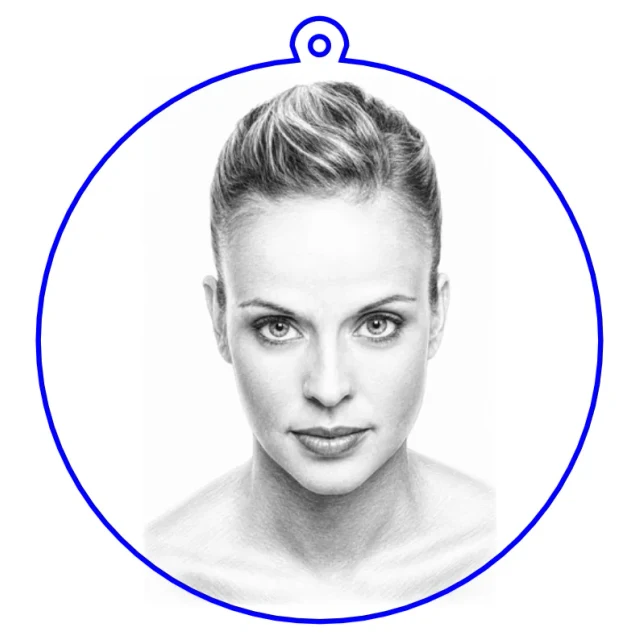
Popular community makes
Real engraving-ready files made by the community — pick one and make your own version.
What the converter should do
For the query photo to laser file converter, the practical answer is this: the tool should clean up the photo, preserve the subject, tune the engraving contrast for the material, decide what needs vector geometry, and export a laser-ready SVG that imports cleanly into laser software. A useful converter also keeps a UV-print PNG available from the same source, so the same customer photo can become engraved products and colour printed products without a second file-prep pass.
One photo, both production paths
- Upload the photo. Start with a portrait, pet, logo, product idea, or customer image you have rights to use.
- Choose the output. Pick laser engraving or UV print, with material and machine context where it matters.
- Download production files. Use the laser-ready SVG for engraving and cutting, or the UV-print PNG for full-colour products.
Where it fits in the workflow
Use the image converter when you already have a source photo and need a clean general-purpose file. Use the keychain flow when you want the cut outline and ring hole placed for a finished product. Try Relief Noir when the same source should become a premium bas-relief style for dark-substrate engraving or UV print. The laser SVG generator comparison explains when an automated converter is a better fit than manual tracing or a static file library.
Sell-ready when you buy credits
Start with free credits to test a real photo on your own material. When the file is worth producing, paid credit packs include the commercial production license for JUJU-PERFECT generated output, so the physical pieces you make can be sold on Etsy, at markets, or in client work. Paid-credit files are original JUJU-PERFECT generated artwork for physical products, with no extra per-file license fee. Bring only photos and references you have permission to use.
Frequently asked questions
What is a photo to laser file converter? A photo to laser file converter turns an uploaded image into machine-ready artwork: laser SVG linework for engraving or cutting, plus the contrast and background cleanup a photo needs before it can engrave cleanly. JUJU-PERFECT also returns a UV-print PNG from the same source when the job needs colour.
What file-prep steps should a photo to laser file converter handle? It should clean up the subject, simplify or remove the background, map photo contrast for engraving, tune the artwork for the selected material, create vector cut paths or score lines where needed, and export a laser-ready SVG that imports into laser software without rebuilding the design.
Do I get both files from one upload? Yes. One photo can return a laser-ready SVG and a full-colour UV-print PNG, so an engraved product and a printed product can share the same design without a second prep job.
When should I use the SVG instead of the PNG? Use the SVG for laser engraving, vector marking, and cutting. Use the UV-print PNG for full-colour printed products such as acrylic, tumblers, signage, and flat gift items.
Which flows should I try first? Start with the image converter for a general photo-to-file workflow, the keychain flow for a finished cut product, or Relief Noir when you want a dramatic 3D bas-relief style.
Does the SVG import into laser software? Yes. The SVG output is made for laser software and common cutter workflows. Check scale, layers, material settings, and the cut-vs-engrave assignments before running the job.
Can I sell products made from both outputs? Yes. Paid credits include a commercial production license for the engraved and printed products you make. Paid-credit files are original JUJU-PERFECT generated artwork for physical products, with no extra per-file license fee. Bring only photos and references you have permission to use. See pricing for credit-pack details.