Sign in to JUJU-PERFECT AI craft design software
Sign in to use your credits, or create a free account to get 5 credits to start.
Direct answer
How photo to laser SVG works
Photo to laser SVG works by reading the subject in a photo, cleaning up the background, mapping contrast for engraving, then building vector paths for cuts, holes, outlines, or score lines. The final SVG is meant for laser software, not just viewing on screen, so the file has to match the material and the machine.
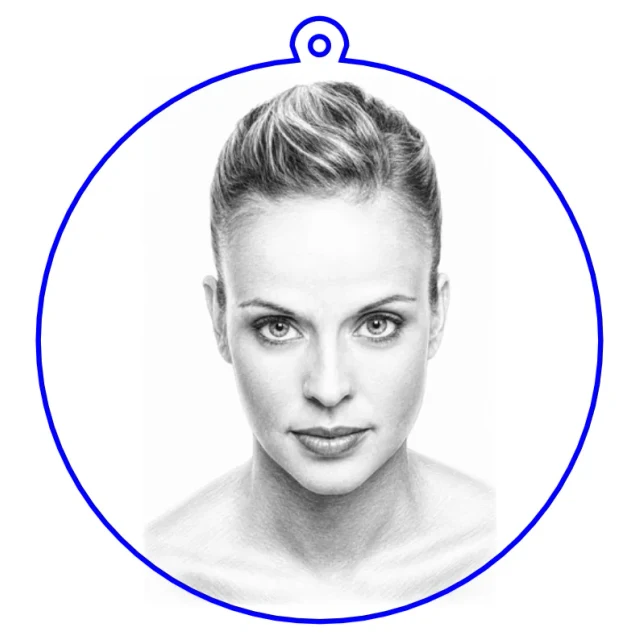
The basic workflow
- Start with the source photo. A clear subject and enough resolution give the converter detail to preserve.
- Prepare the engraving artwork. Background, contrast, and tonal detail are adjusted so the mark reads after the laser burns it.
- Add machine geometry. Product flows add vector cut paths, holes, outlines, tabs, or other assembly parts.
- Export the SVG. The result imports into laser software as a production file, with a matching UV-print PNG available from the same upload.
Why material and laser type matter
The same portrait needs different prep for light wood, slate, acrylic, and metal. CO2, diode, fiber, UV, and MOPA lasers mark materials differently, so a file that looks fine on screen can burn too dark, lose fine lines, or disappear on the wrong substrate. That is why the dual-output workflow keeps laser and UV-print preparation separate.
What to check before cutting
Before running the job, import the SVG and confirm the engraving layer, cut outline, holes, and scale. JUJU-PERFECT exports standard SVG files for laser software, but power and speed settings still belong to your machine and material. The laser software import guide shows what to expect.